
Dr. Kumar Clinic Platform
A full-stack clinic platform with a modern patient-facing website, Django REST API, authentication, patient management, and Razorpay payments - ready to rebrand and deploy.
- python
- django
- astro
- react
- healthcare
- fullstack
- open-source
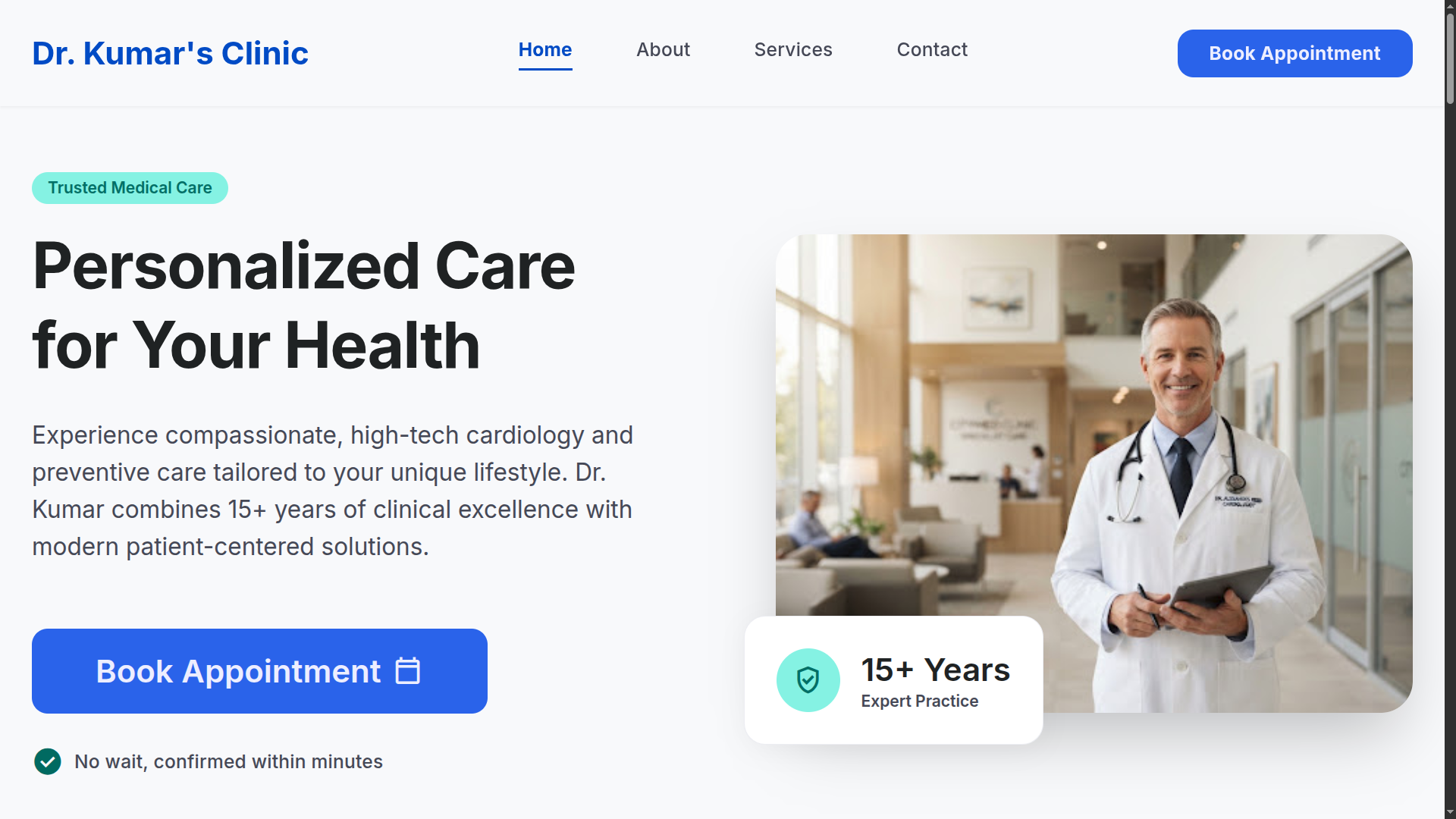
Dr. Kumar Clinic Platform is a production-ready, full-stack clinic website and management system built for individual doctors, clinics, and healthcare businesses. It pairs a modern, patient-facing website with a robust Django REST API - covering authentication, patient management, and payment workflows out of the box.
The "Dr. Kumar Clinic" branding is a fictional example. Swap in your own name, logo, and content, and the platform is ready to run as a real, live product for your own practice.
Live demo: dr-kumar.pages.dev
Why it's ready to deploy
This isn't a demo scaffold you have to finish building - it's a complete foundation:
- A polished, responsive website patients can actually use
- Full authentication flows (sign in, sign up, password recovery)
- Patient management APIs on a real Django REST backend
- Appointment and checkout workflows already wired together
- Razorpay payments integrated end-to-end
- Auto-generated OpenAPI/Swagger docs for the whole API
- A clean, production-shaped project structure on both sides
Rebrand it, plug in your environment variables, and deploy.
What it includes
A modern clinic website. Built with Astro and React for speed and SEO, styled with Tailwind CSS, and already talking to the backend over Axios.
Patient authentication and accounts. Sign in, sign up, and password recovery are handled through Djoser and Simple JWT, so you're not writing auth from scratch.
Patient management. Structured APIs for managing patient records live in their own dedicated app on the backend.
Appointments and checkout. The booking and checkout flow is already connected front-to-back, from the website through to the API.
Payments via Razorpay. Payment models and Razorpay integration are built in, so you can start taking real payments after adding your credentials.
API documentation for free. drf-spectacular generates OpenAPI/Swagger docs automatically from the API.
A real production stack. Gunicorn/Waitress and WhiteNoise are already part of the setup for serving the app in production, not just running runserver.
Repository structure
.
├── frontend/    # Astro + React client application
└── backend/     # Django REST API
backend/
├── dr_kumar/          # Django project configuration
├── apps/
│   ├── accounts/      # Authentication and user management
│   ├── patient/       # Patient-related resources
│   ├── checkout/      # Checkout workflows
│   └── payment/       # Payment models and Razorpay integration
Tech stack
| Layer | What's used |
|---|---|
| Frontend | Astro, React, Tailwind CSS, Axios |
| Backend | Django, Django REST Framework, Djoser, Simple JWT, drf-spectacular, Razorpay |
| Serving | Gunicorn / Waitress, WhiteNoise |
Who it's for
- Individual doctors launching an online presence for their practice
- Small and medium-sized clinics
- Healthcare businesses that need a real booking-and-payments website
- Agencies building clinic websites for clients
- Developers who want a production-ready Astro + Django foundation instead of starting from zero
Getting started
1. Set up environment variables
Example environment variable files are provided for both the frontend and backend - fill them in for your own setup before running either app.
2. Start the backend
cd backend
uv sync
uv run manage.py migrate
uv run manage.py runserver
The API runs on http://localhost:8000 by default.
3. Start the frontend
cd frontend
npm install
npm run dev
The website runs on http://localhost:3000 by default.
Common commands
Frontend
# Start development server
npm run dev

# Create a production build
npm run build

# Preview the production build
npm run preview

# Generate Astro types
npm run sync
Backend
# Run tests
uv run pytest

# Create migrations
uv run manage.py makemigrations

# Apply migrations
uv run manage.py migrate
Making it your own
Before launching your own instance, replace the example branding and configuration:
- Clinic name and logo
- Contact information
- Services and pricing
- Doctor profiles
- Testimonials and FAQs
- Theme colors, typography, and images
- Environment variables (frontend and backend)
- API endpoints and deployment settings
- Payment credentials
Going to production
The project is built as a reusable production foundation, not a throwaway demo. Once you've swapped in your branding and configuration, it's ready for real-world use. Depending on your deployment, you'll also want to set up:
- HTTPS
- Domain and DNS
- Email services
- Backup strategy
- Monitoring and logging
- Security hardening
- Separate environment variables for production, testing, and demo
Why I built it
Every clinic or healthcare project I looked at meant rebuilding the same pieces: patient auth, appointment booking, checkout, and payments, wired to a decent-looking website. Dr. Kumar Clinic Platform packages all of that into one foundation - rebrand it, configure it, and it's ready to serve real patients.